
MACAW Console
The Console is your administrative interface for managing AI security at scale. Monitor agent activity, manage policies, review audit logs, and configure workspace settings.
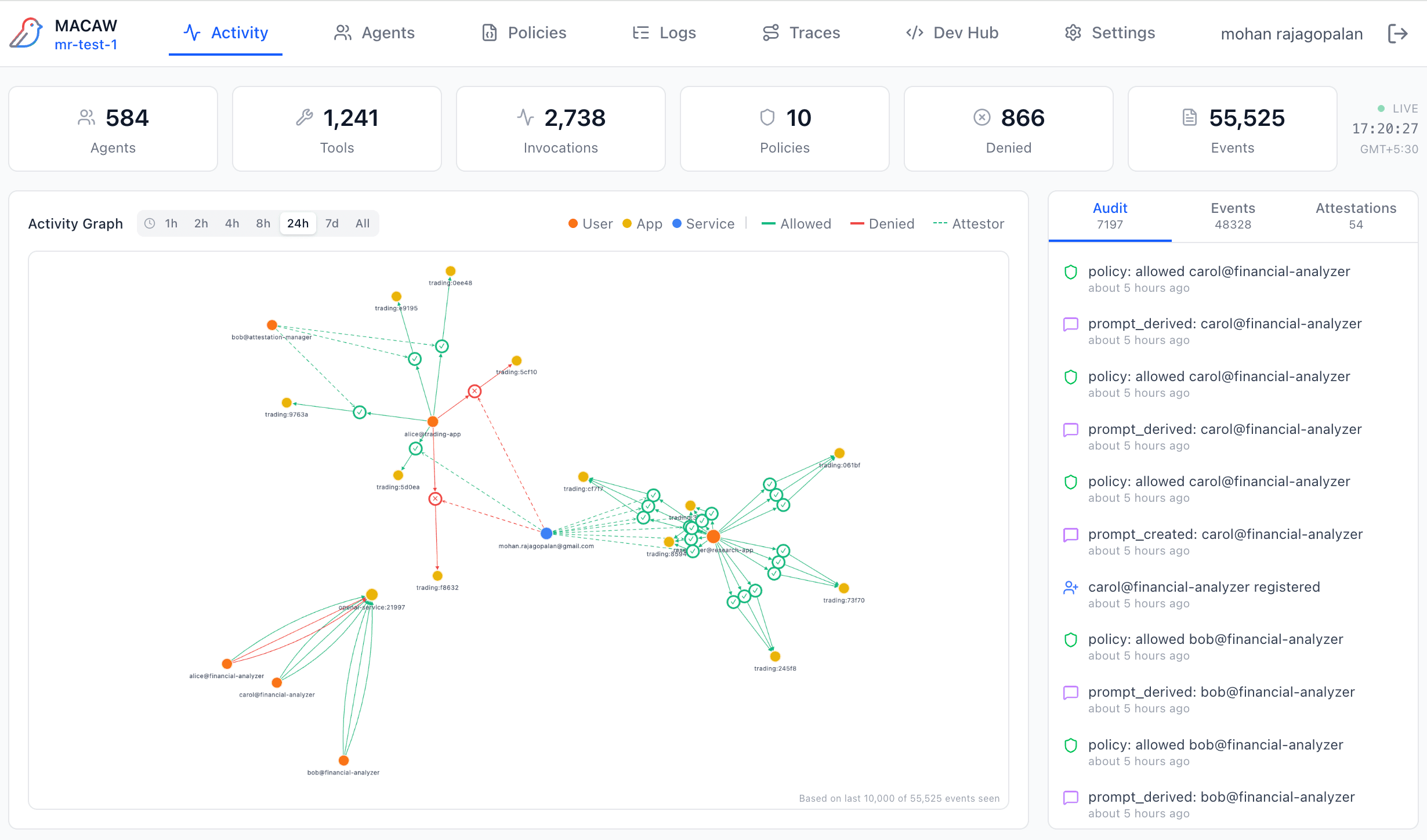
Console Activity Dashboard showing agent interactions and real-time metrics
Who is the Console for?
Security & Compliance Teams
- • Review cryptographically signed audit trails
- • Monitor policy decisions and denials
- • Approve or deny attestation requests
- • Export logs for compliance reporting
Platform & DevOps Teams
- • Monitor agent health and activity
- • Configure OTEL endpoints for observability
- • Manage workspace API keys
- • Set up identity provider integration
Policy Administrators
- • Create and manage MAPL policies
- • Use AI to generate policies from natural language
- • View policy inheritance and version history
- • Trace policy resolution for debugging
Team Managers
- • Invite team members to workspace
- • Manage user permissions and grants
- • Monitor workspace usage and storage
- • Configure workspace-wide settings
Developers typically work with the SDK directly. See the Quick Start for SDK documentation.
Console Navigation
The Console is organized into seven main tabs, each focused on a specific aspect of AI security management:
| Tab | Purpose | Key Features |
|---|---|---|
| Activity | Real-time dashboard | Activity graph, metrics, event feed, attestation queue |
| Agents | Agent registry | View registered agents, tools, status, request history |
| Policies | Policy management | Create/edit policies, AI assistant, version history |
| Logs | Event logging | Audit trail, event stream, denials, attestation logs |
| Traces | Request tracing | Request flow, policy trail, prompt chains, lifecycle |
| Dev Hub | Developer resources | SDK download, tutorials, examples, API reference |
| Settings | Configuration | Team, workspace, OTEL, identity, policy assistant |